How to Easily Check the Shutter Count on Sony Cameras in Just 2 Steps
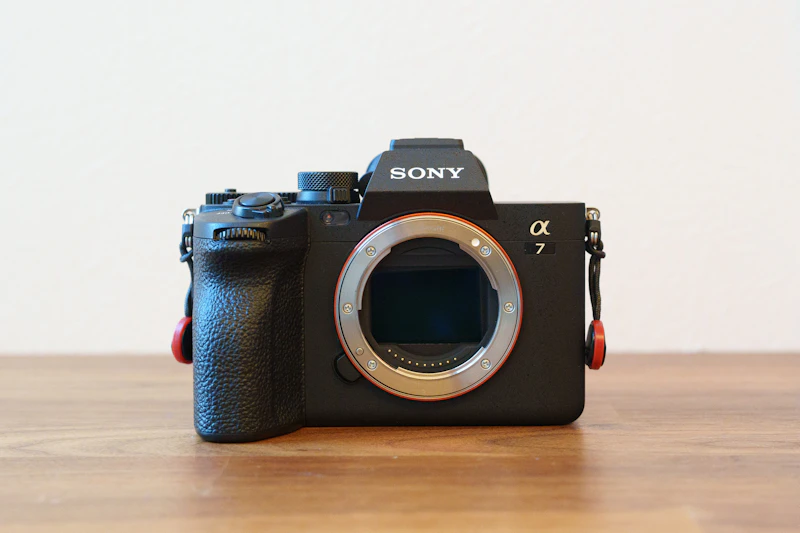
If you’re a camera enthusiast, the shutter count is something you’ve probably wondered about at least once.
Whether you’re thinking about maintenance or considering selling your camera, it’s always useful to know how many times the shutter has been fired.
In this article, I’ll show you how to check the shutter count on Sony cameras.
All you need is one JPEG file, and the whole process takes just two simple steps.
Best of all, it’s completely free. Let’s take a quick look.
Step 1: Visit the Website
First, go to the following website:
Step 2: Drag and Drop a JPEG File

In the center of the page, you’ll see a red highlighted area.
Simply drag and drop a JPEG photo taken with your Sony camera into this area.

That’s it. The website will automatically read the EXIF data and display the shutter count stored in the image.
For reference, my Sony α7C II had a shutter count of 20,124 as of December 2025.
I’ve been using it since its release in October 2023, which means I’ve taken roughly 10,000 shots per year.
Knowing Your Shutter Count Makes Photography More Fun
Checking the shutter count helps visualize how much you’ve actually been shooting over time.
Personally, I’m the type who believes in taking lots of shots — the classic “shoot more to get better” approach.
As the number goes up, I feel more attached to my camera and my photography journey.
Of course, a higher shutter count also raises concerns about mechanical wear.
But I like to think of it as proof of the time I’ve spent creating photos with my camera.
One More Way to Check (If shuttertool.com Doesn't Work)
If nothing shows up on shuttertool.com, you can try another web tool that works the same way:
- shuttercounter.com — upload a JPEG the same way to check your count
If the results from multiple tools match, you can trust the number with more confidence. If one tool shows nothing, just try the other.
Check If Your Camera Is Supported
You can check the list of supported models on shuttertool.com's "supported models" page. Most Sony E-mount cameras are covered, including:
- α7C series: α7C (ILCE-7C) / α7C II (ILCE-7CM2) / α7CR (ILCE-7CR)
- α7 series: α7 (ILCE-7) / α7 II (ILCE-7M2) / α7 III (ILCE-7M3) / α7 IV (ILCE-7M4)
- α7R series: α7R IV (ILCE-7R4) / α7R V (ILCE-7RM5) and more
- α6000 series: α6000 / α6100 / α6300 / α6400 / α6700, etc.
If your latest model isn't listed yet, the tool also has a "Drop me a line" link where you can request support to be added.
For Advanced Users: Checking via ExifTool
If you have ExifTool (a free metadata-reading tool) installed on your computer, you can check the shutter count directly from the command line, without using any web tool. Many Sony α-series (ILCE) cameras record the shutter count inside their Exif data.
The command is simple — just point it at your photo file:
exiftool -ShutterCount yourfile.jpg
When I ran this on my own α7 IV (ILCE-7M4), it returned:
Shutter Count : 31629
The advantage of ExifTool is that it works offline and can read both JPEG and RAW (ARW) files. That said, support depends on the model. Here's what I found when testing it myself:
Model | ExifTool support |
|---|---|
α7 IV (ILCE-7M4) and most α-series cameras | ○ Readable (e.g. 31,629) |
RX1R III (DSC-RX1RM3) | × Not available (use the web tool instead) |
For cameras like the RX1R III that don't store a shutter count in their Exif data, ExifTool won't help — use the web tool (shuttertool.com) covered above instead.
If the Count Doesn't Show Up, or Looks Wrong
If you see "0", an error, or a number that seems way too low, the cause is almost always the image file you loaded. Check the table below.
Cause | Symptom | Fix |
|---|---|---|
Edited/exported JPEG | No count / error | Use the straight-out-of-camera JPEG copied directly from your SD card |
Loaded a RAW (ARW) file | Not supported / error | Use a JPEG your camera recorded at the same time |
Image sent via messaging apps | No number shown | Compression strips metadata — copy the JPEG directly from your PC instead |
Latest model not yet supported | Not displayed | Try another tool, or wait for it to be added |
By far the most common cause is "an edited or exported JPEG." When I tried loading a photo I had developed and exported in Lightroom, the tool recognized my camera model and shooting date, but the shutter count itself didn't show — instead I got this message:
The EXIF data is missing! Please use a file DIRECTLY from the camera.
Editing and re-exporting strips out the shutter count data along the way. The trick is to use the straight-out-of-camera JPEG copied directly from your SD card.
Comparing the Methods
Method | Ease | What you need | Best for |
|---|---|---|---|
shuttertool.com | ◎ Fastest | 1 JPEG, browser | Try this first |
Another web tool | ○ Easy | 1 JPEG, browser | Backup if the first tool doesn't work |
ExifTool (command line) | △ Needs install | PC, JPEG/RAW | Offline & certain, supported models only |
In short: try shuttertool.com first, and switch to another tool if it doesn't work. That covers nearly every case.
FAQ
Q. Can I see the shutter count on the camera itself?
A. No. Sony cameras don't have a built-in menu that displays it. You need to load a captured JPEG into a web tool to check.
Q. Does checking cost anything?
A. No, every tool introduced here is free.
Q. Can I check it from a RAW file?
A. The web tools are JPEG-only. However, if ExifTool supports your model, you can also read the shutter count from a RAW (ARW) file.
Q. Does ExifTool work for every model?
A. No. Many α-series (ILCE) cameras record it, but some models — like the RX1R III — don't store a shutter count in Exif at all. Use the web tool for those.
Q. Can the shutter count be reset?
A. No, it can't be reset by the user. Using the electronic shutter, though, can help reduce physical shutter wear.
Conclusion
Checking the shutter count on a Sony camera takes just two simple steps:
- Visit shuttertool.com
- Drag and drop a JPEG image
It's quick, easy, and free — so give it a try and see your camera's history for yourself. If it doesn't show up the first time, remember the most likely fix: use the straight-out-of-camera JPEG, not an edited one.
If your shutter count turns out higher than you expected, it might be a sign your camera is due for an upgrade. If you're shopping in Japan, this guide to buying Sony cameras at the best price covers how to save up to 19.6% at the official Sony Store.

Ito
Someone from somewhere. Photography lover. Father of two. Sony α7IV, α7cII, RX1R III